Car stereo does not detect Yatour: check the connection
Separate two situations first. If the stereo will not switch to the adapter, check connection and compatibility. If the source can be selected but songs do not play, also check the drive and audio files. NO CD alone does not identify the cause.
In this guide
Work out what changed
Was the adapter just installed, or did it previously work in this car? Was the stereo removed, the battery disconnected or the cable changed? Note what happens when you select the source: radio continues, a message appears or the track timer starts without sound.
If the old drive stopped playing immediately after work on the stereo, check the changed connection first. If one drive works and another does not, there is no reason to remove the panel yet. Change one condition at a time so you can interpret the result.
The adapter source does not appear
Check the stereo manual: an external changer may need a dedicated button or a second press of CD. The stereo’s built-in CD drive and the external changer are different sources.
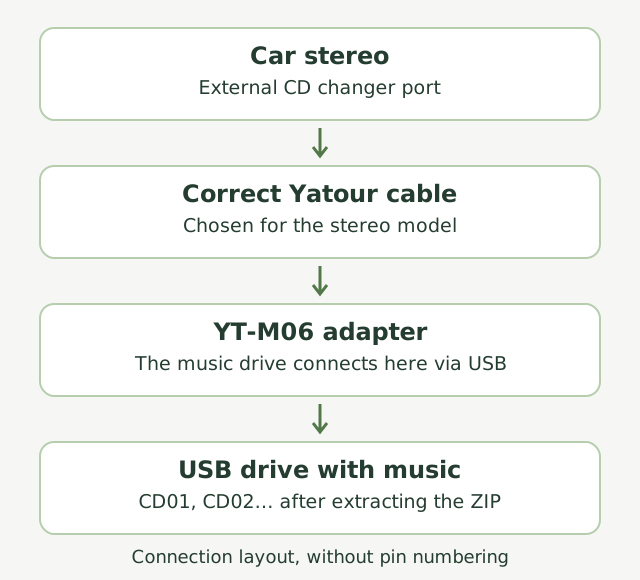
Check the full cable and stereo identifiers against the documentation. If access behind the dashboard is needed, turn the equipment off and follow the car’s service instructions. Inspect accessible connections for incomplete insertion or damage. Do not apply power to unidentified contacts as a test.
The indicator is lit but there is no sound
An illuminated indicator is useful to record, but does not prove every connection is correct. Check volume, MUTE and the selected source. Compare with radio: if that is silent too, the cause extends beyond Yatour music files.
If the adapter has AUX, compare playback from a known working source using a suitable cable. Set up that source according to its instructions and start at moderate volume. Working AUX helps narrow the search towards the drive and files, but does not test the entire system.
The adapter can be selected but music does not play
Now check the drive: its file system, CD folder locations and tracks. The separate USB troubleshooting guide below covers these. Save any files you need before formatting.
Create a comparison collection on yatour.site: add a few MP3 files that play on your computer, then copy the extracted result to a suitable drive. If it works, add music gradually to identify the difference that causes the problem.
What to tell an installer if checks do not help
Provide the stereo model, full Yatour and cable labels, photographs of accessible connections and a short symptom description. For example: “Radio works; pressing CD twice shows NO CD; two drives give the same result; the adapter worked before the stereo was replaced.”
This is more useful than assuming the USB socket is broken. Ask for compatibility, power and connection checks using the diagram for your equipment. Higher-rated fuses, shorting unknown contacts and guessing wires are not diagnostic methods.