Yatour connectors and pinouts: find the right diagram for your stereo
A pinout identifies what each connector contact does: power, sound or control. You may need one when a cable is missing or a plug does not fit. Start with the exact stereo and cable model: there is no single pinout for every device labelled Yatour. This guide gathers documented connection variants and links to the original diagrams.
In this guide
Matching pin counts are not enough
Two similar connectors may serve different purposes. Matching shape and hole count can help identify a family, but do not prove electrical compatibility.
Before checking, note the full stereo model, adapter label and cable designation. Photograph both connector faces: the contacts and the wire entry side. Do not assume a picture from one side also shows the view from the other.
Toyota and Lexus: TOY1 5+7 and TOY2 6+6
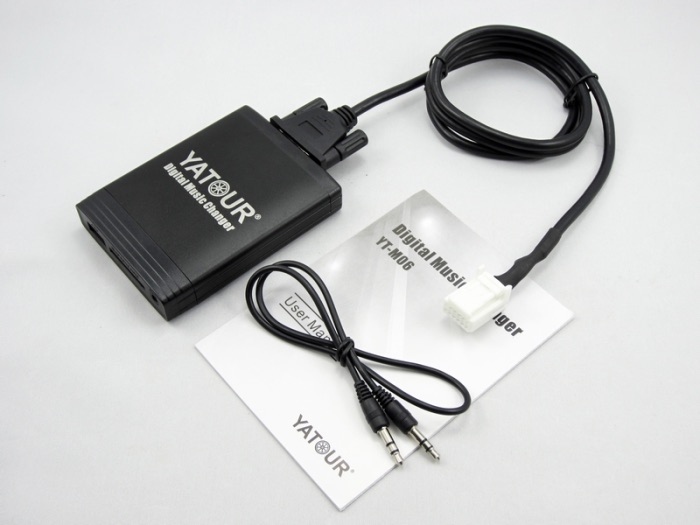
The YT-M06 catalogue shows Toyota 5+7 and 6+6 variants. These describe contact positions, not where to apply power. The car’s year alone is not a reliable way to choose a cable.
The TOY2 kit photograph shows the white stereo-side plug. Compare the housing shape, locating tabs and contact positions as well as the colour. Toyota variants appear on PDF pages 26–27.
Audi: mini-ISO and a single connector block
The catalogue distinguishes VAG8 and VAG12. A separate Audi 20-pin adapter is described for some Audis with a one-piece 20-pin block. Identify the stereo and connector type first; Concert or Symphony without the version is not enough.
If the block does not separate, do not cut it based on an internet picture. Find the intended adapter and confirm compatibility. Audi pictures and notes are on PDF page 6.
Nissan: identify the exact head unit
The catalogue lists the YT-M06-NIS family with equipment-specific notes. A list of car models is a starting point, not a guarantee for every stereo installed in that car. Nissan is on PDF page 19.
If the cable has loose power wires, do not choose contacts by trial and error. Ask an installer to compare the stereo’s service diagram with your cable instructions. A diagram for another Nissan device, such as a camera or factory USB socket, is not suitable.
How to check a pinout you have found
A useful diagram identifies the exact device, connector name, pin numbers and viewing side. Check the latch position: looking at the wire side and looking at the contact side can give mirror images.
GND usually denotes ground, BATT a permanent power supply and ACC an ignition-switched signal. These labels explain the functions; they do not locate the contacts on your stereo. Do not connect wires by colour alone.
If the required diagram is unavailable
The manuals we found include device connection diagrams and photographs of connector families, but not a verified pin table for every cable. We therefore do not add pin numbers to similar-looking pictures and present them as confirmed pinouts.
When asking a supplier or installer, provide photographs of the stereo label, both sides of the plug and the Yatour label. Explain the task: replacing a lost cable, keeping the factory changer or checking power. This helps obtain a suitable diagram rather than another picture of a different version.